Minecraft Pixel Circle Generator
Generate retro symmetry-optimized pixel circles tailored for structure floors and basements.
Building a round tower in Minecraft by hand is painful. You place a block, step back, realize it looks lopsided, then start over. A Minecraft Pixel Circle Generator fixes that problem in seconds. Just set your diameter, pick a pixel style, and the tool hands you a ready-to-build grid.
No more guesswork. No more trial and error. Just a clean blueprint you can follow block by block.

About This Minecraft Pixel Circle Generator
|
Minecraft Pixel Circle Generator |
|
|
100% Free Online Tool |
|
|
Last Updated |
|
|
mycraftcirclegen.com |
|
|
Free of Cost |
|
|
Web, Mobile, Desktop, Tablet |
|
|
Java + Bedrock |
|
|
Minecraft Any Size Cirlcle Generaor |
|
|
⭐ 4.8/5 |
What Is a Minecraft Pixel Circle Generator?
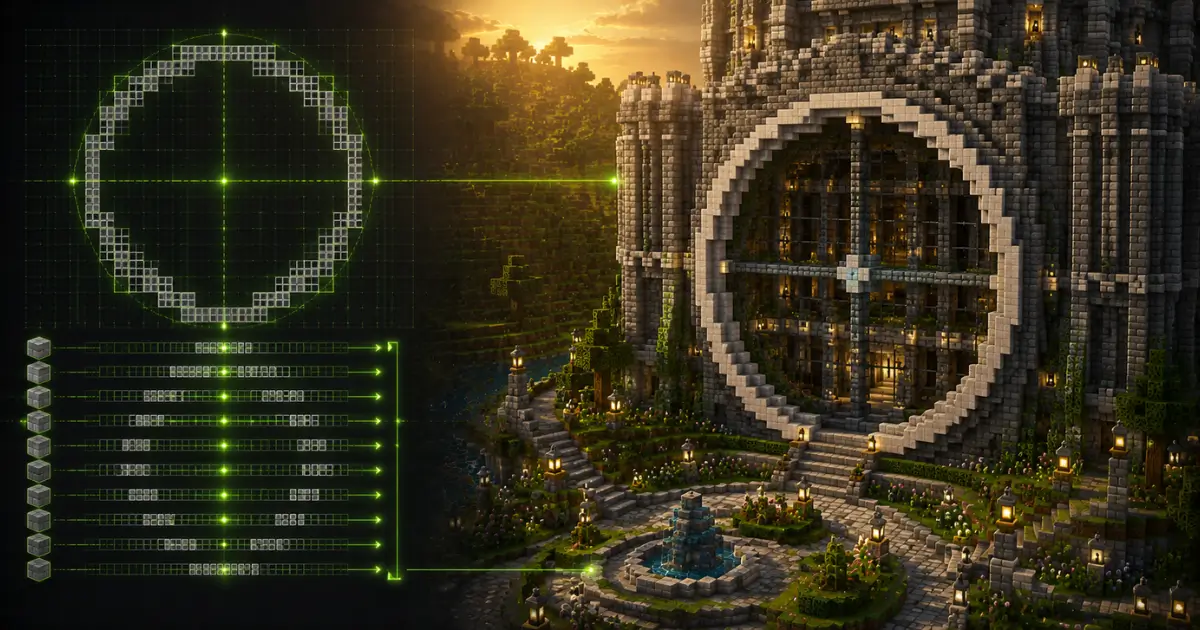
Here’s the thing: Minecraft runs on a square grid. There’s no native curve tool, so every “circle” you’ve ever seen in the game is actually an approximation made from square blocks.
A pixel circle generator solves this by calculating exactly which blocks need to be filled to make that approximation look as smooth as possible. You enter a diameter (say, 15 blocks), and the tool maps out the entire shape on a grid, row by row.

Real Build Ideas Using Circular Patterns
Learn how a Minecraft Circle Generator can help you build stunning circular structures. Create towers, arenas, domes, fountains, and more with accurate block-by-block circle layouts.
Circular Tower Blueprint
A 15 to 20 block diameter tower with a dome roof is a classic medieval-style build. Add windows at regular intervals using the symmetry axis as your guide.
Round House Layout → [minecraft round house blueprint]
A 24 to 32 block circle gives enough interior room for a kitchen, bedroom, and storage area, while still looking compact from outside.
Circular Farm Design → [minecraft circular farm design]
A 16 to 24 block circle with water placed dead center uses Minecraft’s natural water-spread mechanic to irrigate crops evenly in every direction.
Pixel Circle Generator vs Manual Building: Why Use a Tool? → [best minecraft circle generator tool]
Manual circle building usually means a lot of wasted blocks and a wonky final shape. A free pixel circle generator removes that guesswork entirely. You get an exact block count, a visual reference, and export options like PNG or PDF you can pull up while building.
For survival players especially, the Material Calculator alone saves serious time and resources.

Frequently Asked Questions (FAQs)
Conclusion:
A Minecraft Pixel Circle Generator takes the guesswork out of one of the trickiest parts of building, getting a clean, balanced curve on a square grid.
With style modes, symmetry optimization, and instant presets, you go from idea to finished blueprint in seconds. Set your diameter, check your Pixel Optimization Score, and start building your next circle the easy way.