Minecraft Circle Generator Build Perfect Circles in Any Size Instantly.
Minecraft Circle Generator
Generate perfect pixel circles and cylinders instantly with real-time blueprints.
Building a circle in Minecraft sounds simple. But anyone who has tried it knows the truth, square blocks, uneven sides, and a shape that looks nothing like a circle by the time you are done.
That is exactly what mycraftcirclegen.com solves.
This free Minecraft circle generator gives you a pixel-perfect block blueprint in seconds. Enter your diameter, pick your shape, and follow the grid. Your circle comes out clean and symmetrical every single time,
whether you are building a 9-block well or an 81-block mega base.
No math. No guessing. Just build.

About This Minecraft Circle Generator
|
Minecraft Circle Generator |
|
|
100% Free Online Tool |
|
|
2 hours ago |
|
|
mycraftcirclegen.com |
|
|
Free of Cost |
|
|
Web, Mobile, Desktop, Tablet |
|
|
Java + Bedrock |
|
|
Minecraft Any Size Cirlcle Generaor |
|
|
⭐ 4.8/5 |
What is Minecraft Circle Generator?
Minecraft circle Generator is an online free tool that calculates which blocks to place to create a round structure inside the game. Since every block in Minecraft is a square, true circles are geometrically impossible. What these tools create is a pixel approximation,
A pattern that looks genuinely circular from a normal viewing distance, even though it is made entirely of cubes.
Think of it the same way your phone screen works. Every pixel is a tiny square, yet you see smooth curves and round icons. Minecraft circles use the same visual trick.
At mycraftcirclegen.com, you get an interactive grid that updates in real time as you adjust your settings. The result is a block-by-block circle blueprint you can follow directly inside Minecraft, no switching between websites, no printing, no memorizing patterns.
How to Use Mincecraft Circle Generator?
Step by Step Guide
Most circle tool tutorials skip the practical details. This one does not like that. Every step below maps directly to what you see on the tool.
Step 1: Set Your Diameter or Use a Quick Build Preset
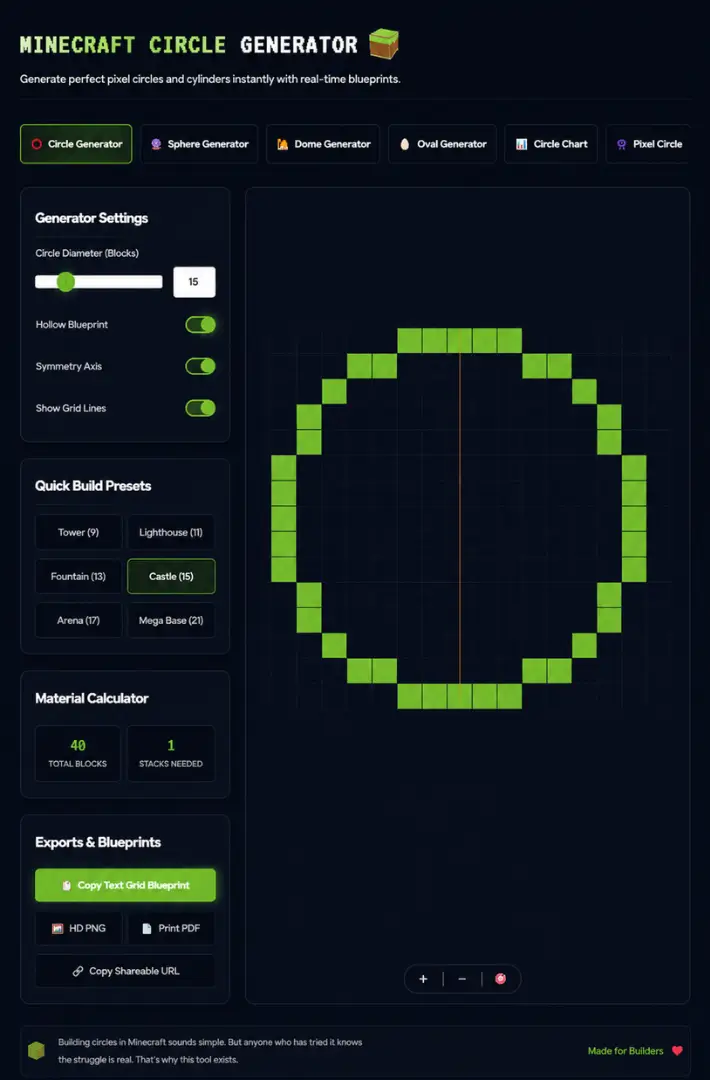
Open the Generator Settings panel on the left side. You will see the Circle Diameter (Blocks) slider at the top. Drag it or type a number to set your size.
Not sure what size to pick? Use the Quick Build Presets pre-calculated sizes matched to real Minecraft build types:
Step 2: Configure Your Blueprint Toggles
Three toggles sit below the diameter input. Each one changes what appears on the canvas:
Hollow Blueprint: ON gives you an outline-only circle, perfect for walls and tower rings. OFF gives you a fully filled circle for floors and platforms. Most builds use hollow. only turn it off when you need a solid base or floor slab.
Symmetry Axis: shows center lines across your canvas so you can clearly see the four quadrants of your circle. Keep this ON whenever you are building section by section.
Show Grid Lines: overlays a block grid across the canvas for easier counting. Always recommended for circles larger than 20 blocks. Helps you track your row count without losing your place.
Step 3: Check the Material Calculator Before You Touch a Single Block
Most people skip this step. Most people also run out of blocks halfway through a build.
The Material Calculator sits below the toggles and shows two numbers the moment you set your size:
- Total Blocks — the exact number of blocks your circle requires
- Stacks Needed — how many full inventory stacks that equals
For the Fountain (15) preset, you need 40 total blocks, exactly one stack. For the Mega Base (81) preset, that number jumps significantly.
Check this first. Gather your materials in Minecraft before you start placing anything. It is a small habit that saves real time.
Step 4: Read the Blueprint and Build One Quadrant at a Time
The circle grid on the right side of the screen is your live blueprint. Each green square equals one block in Minecraft. The pattern updates instantly as you change any setting.
Here is the most efficient way to build any circle, especially large ones:
Start by placing a block at your intended center point in Minecraft. Then work outward following the grid. Rather than building the full outline at once, build one quadrant first, one quarter of the circle.
Since every circle is perfectly symmetrical, you mirror that quarter three times to complete the shape.
This method prevents counting errors, keeps your sides even, and works especially well for big circle Minecraft builds at 50 blocks or more.
For very large circles, lay the full outline flat on the ground first as a floor template. Then build your walls upward from that template. Much easier than trying to track a large pattern at height.
Step 5: Export Your Blueprint and Build Without Interruption
Most people skip this step. Most people also run out of blocks halfway through a build. Once your circle looks right, scroll down to Exports and Blueprints. You have four options:
Copy Text Grid Blueprint:
Copies a text version of your pattern. Paste it into your phone notes, a Discord message, or share it with your build team.
HD PNG:
Downloads a high-resolution image of your circle chart. Open it on your phone or a second monitor and reference it while you play. This is the most practical option for solo builders.
Print PDF: Generates a clean, print-ready PDF of your blueprint. Useful if you prefer working from paper or want to plan a large build offline.
Copy Shareable URL: Creates a direct link that saves your exact settings, diameter, shape, toggles, everything. Send it to a friend or teammate and they open the exact same blueprint instantly. No re-entering settings, no confusion.
How Does the Mincecraft Circle Generator Algorithm Work?

Minecraft Circle Size Chart Common Diameters, Block Counts & Uses
Building circles in Minecraft can be surprisingly difficult without a proper blueprint. This Minecraft Circle Size Chart helps you quickly find the most common circle diameters, hollow block counts, filled block counts, and recommended building uses. Whether you’re designing towers, castles, arenas, domes, fountains, stadiums, or mega bases, this chart makes planning much easier.
| Diameter | Hollow Blocks | Filled Blocks | Recommended Use |
|---|---|---|---|
| 7 Blocks | ~16 | ~37 | Small well, decorative post |
| 9 Blocks | ~24 | ~57 | Compact tower |
| 11 Blocks | ~28 | ~81 | Lighthouse base |
| 15 Blocks | ~40 | ~153 | Fountain, small tower floor |
| 18 Blocks | ~52 | ~233 | Castle turret ring |
| 20 Blocks | ~60 | ~285 | Medium arena or floor |
| 29 Blocks | ~88 | ~613 | Castle keep |
| 51 Blocks | ~160 | ~1,961 | Full PvP arena |
| 81 Blocks | ~254 | ~4,965 | Mega base or coliseum |
| 100 Blocks | ~314 | ~7,693 | Stadium or city landmark |

Minecraft Circle Generator for Java and Bedrock Edition
Short Answer: the same circle works for both. Here is why.
Does the Circle Pattern Differ Between Java and Bedrock?
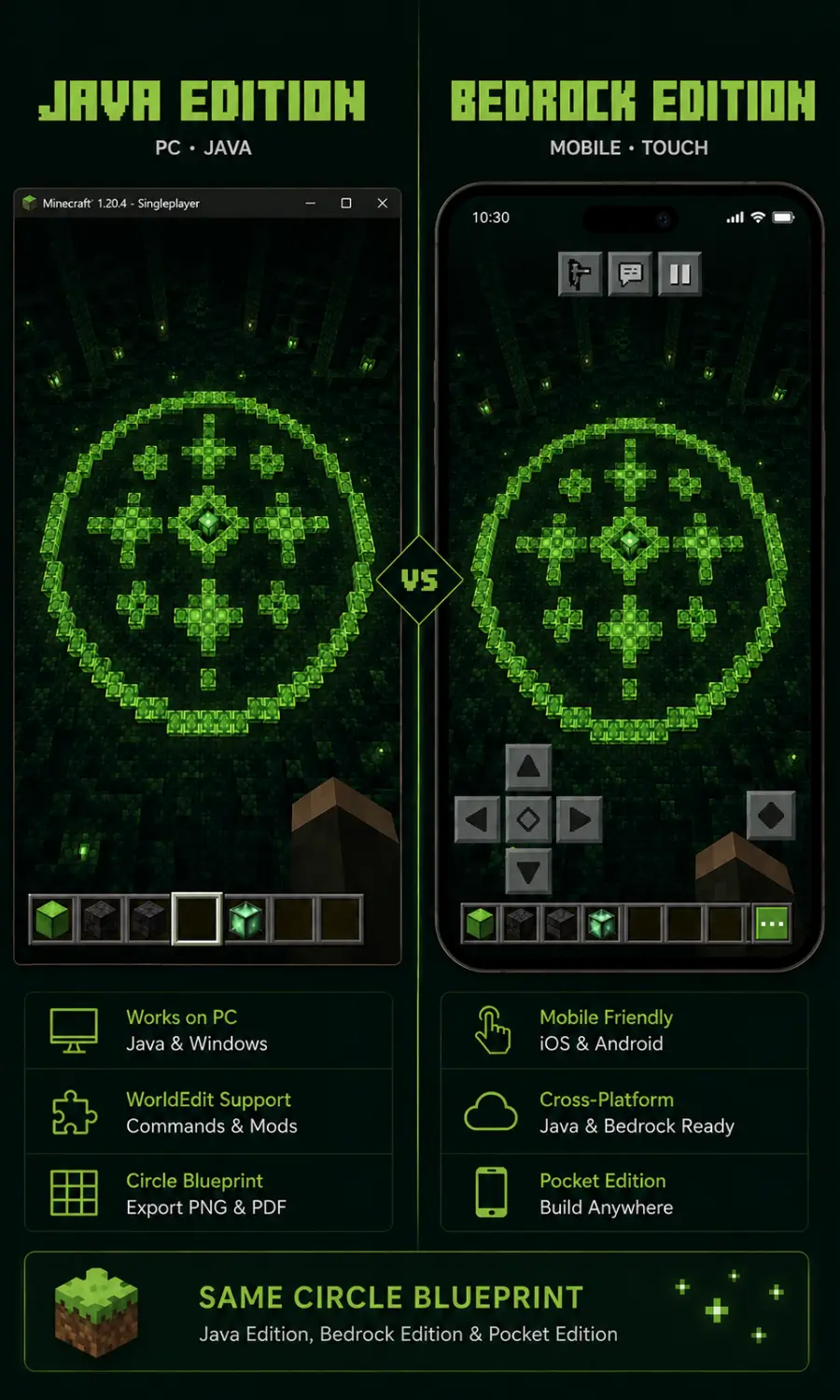
No. A Minecraft circle generator outputs a visual block grid, a map of which positions to fill. That logic is completely identical across editions. You place blocks in the exact same positions whether you are playing Java or Bedrock.
The only meaningful difference comes with WorldEdit commands, which are Java Edition only and require server-side mod installation.
Using the Circle Generator on Minecraft Pocket Edition
The generator at mycraftcirclegen.com is fully mobile-responsive. Open it in your phone browser, set your diameter, download the HD PNG to your camera roll, and reference it while you build in Minecraft PE.
No app installation needed, no account required.
Java Edition vs. Bedrock Edition
Pros of Java Edition
Cons of Bedrock Edition
What you can Build with Circle in Minecraft?
Learn how a Minecraft Circle Generator can help you build stunning circular structures. Create towers, arenas, domes, fountains, and more with accurate block-by-block circle layouts.
Circular Towers and Castle Turrets
Circular towers are the most common use of a Minecraft circle builder. Use the Tower (9) preset for a compact structure or the Castle (29) preset for a proper fortress keep. Pair your circle base with a Minecraft arch generator for matching doorways and windows on the same build. Cylinder buildings in Minecraft always look more impressive than square ones, especially at height.
Arenas, Stadiums, and Coliseums
The Arena (51) preset gives you a solid PvP fighting floor. Stack circle layers with tiered seating rising outward for a full coliseum structure. A Minecraft 100×100 circle takes it even further for large server event spaces and city plazas.
Fountains, Pools, and Dome Roofs
Small circles built at 9 to 15 blocks handle fountains and wells well. For dome roofs, stack hollow circles of decreasing diameter upward, starting at your tower width, reducing by two blocks per layer. The dedicated Dome Generator tab automates this entire process.
Ovals for Race Tracks, Pools, and Stadiums
Switch to the Oval Generator tab and unlock separate width and height controls. A stretched oval works perfectly for swimming pools, moats, race track outlines, and any elongated curved structure. The Minecraft ellipse generator mode gives you full creative control over both dimensions independently.

Explore More Minceraft More Shape Generators
Circles are just the starting point. The same tool covers every round shape your builds need:
|
Shape Tool |
Description |
Availability |
|
Generate accurate Minecraft spheres for planets, domes, and mega builds. |
Ready to Use for Free |
|
|
Half-sphere roofs, perfect for topping circular towers |
Ready to Use for Free |
|
|
Stretched ovals for pools, tracks, and stadiums |
Ready to Use for Free |
|
|
A quick reference chart for every common circle size |
Ready to Use for Free |
|
|
Pixel art circles for Minecraft, Terraria, and beyond |
Ready to Use for Free |
Frequently Asked Questions (FAQs)
Conclusion:
A Minecraft circle generator is the single most useful building tool you can bookmark as a Minecraft player. Whether you are placing a simple 9×9 circle for a well or laying out an 81-block mega base, having the right blueprint in front of you is the difference between a clean build and hours of frustration.
mycraftcirclegen.com gives you the full toolkit, Quick Build Presets, a Material Calculator, real-time blueprint preview, and export options that work however you build best.
Scroll back up, enter your diameter, and build your best circle yet.